Some practical tips for track design
1. Pre-design
Take your time with the editor. Try to think what is a good track like and make some rough guides to help designing. Making some guidelines will help you to measure if track fits to screen and doesn't go over edges. Often though it is better to just follow imagination without guidelines.
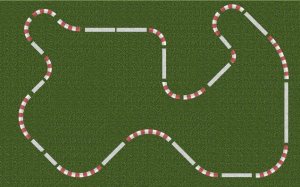
Guideline can be something like this.
2. Bottom layer
Simple Black is not a surface. Put some grass/mud/sand below all tiles.
You can afterwards place new tiles to bottom just adding them in editor and then editing the trk file in text editor and moving those new bottom layer tiles below track tiles.
So, not like this.
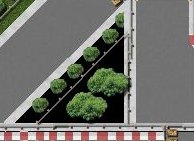
3. Tile placing
If start the editor from the command line (or add the parameter to the shortcut) with a parameter "-ar 1" you can rotate every tile just like you want it. It really helps you to place those obstacles around the track.
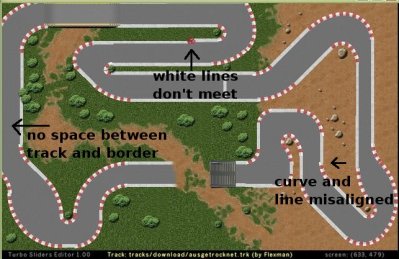
Connect each tiles nicely so there is no gaps or misaling.
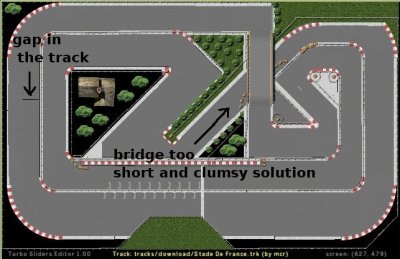
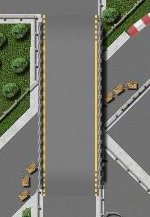
For a bridges you can make longer bridges with compining tiles. This way you don't have to place extra obstacles to narrowing a bridge. Also the track-line fits better to go under a bridge.
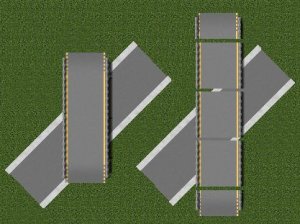
Do not do it like this.
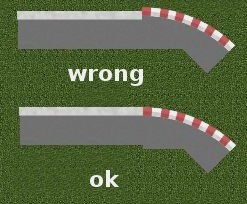
Corners
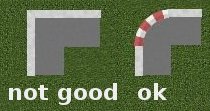
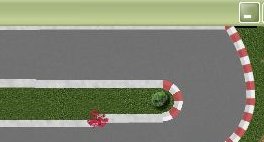
Corners are better when doing it with curve-tile and not to use 90-degree design. Although in "city tracks" 90-degree curves can be a better solution.
Track line
Track line is better when it is wide enough. I usually make track line so that straights are at least as wide as two straight-tiles are wide.
4. Obstacles
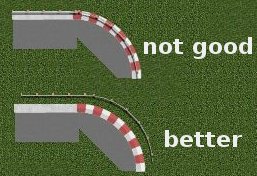
Track is better when obstacles are not on track line but on the grass. Corners with obstacles on the inside curve need curb and then grass before the obstacle. This would help to stop the drivers in front making a mistake and then the driver behind running into them.
5. Post-edit with text editor
There are more for designing a track than the editor provides.
You can edit the track maker, track name and other track properties with a normal text editor (like notepad). Just open yourtrack.trk with text editor.
If you rename a track or edit the trk file, you must open and save it with the editor at least once. Otherwise, the pattern file is not used, since the trk file has reference to the old name and hash-value is not correct. This makes track profile unavailable and may cause track record problems.
Naming the track correctly
- Add an author tag to the tracks name, like hg_ in hg_Turnpoint
- The author tag length should be more or equal than 2 but not too long. Maybe between 2-4.
- It is good, if you can give the track a name, which says something about it.
- The name may say something about the land and/or the city or its atmosphere.
- Atmospheres are addicted to the tiles: for example "desert", "water", "rock", "sand", "grass"...
- If track is nicely named it is easier to remember what the track was.
Here is a sample trk file.
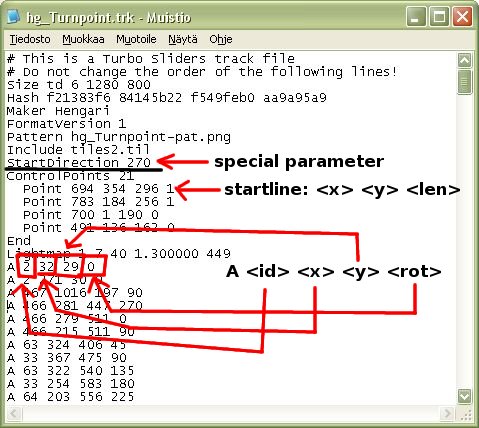
- You can define new startdirection with adding a line "StartDirection <degrees>".
- To move startline afterwards just edit the <x>,<y> values. To add more length edit <len> value.
- To add later more checkpoints and not to remove old ones, add one in track editor and move it to right place in the trk file with text editor. Add also +1 to ControlPoints <value>.
- To correct errors and change or remove tiles look the editor and compare tile id and position to trk file. Each tile addition is on its own line in the trk file.
- <id> = tile id (same as in editor), <x> and <y> = tile position in track, <rot> = tile rotation in degrees.
- If the track maker is not correct, you can change it. By default, the maker is made to be the first player name you have entered in the game.
- Editing at the "Size td 6 1280 800" line, you can change the track size.
6. Checkpoints
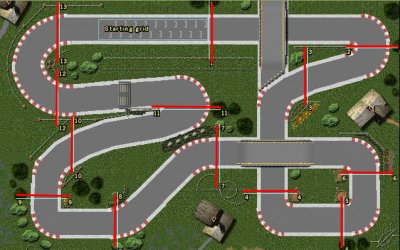
Place checkpoints something like this (red lines):
X. Not this way
Fit the track to stay in the area. It's not good if it goes over and you can "lean" to edge with car.
So, not this way.
Some not so good tracks.
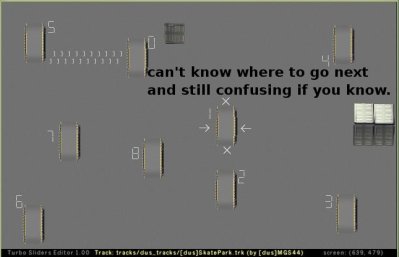
Track doesn't fit completely to screen so you can't see all/next number.